02 · What “not activated” means
The card can be real while the activation is still unresolved.
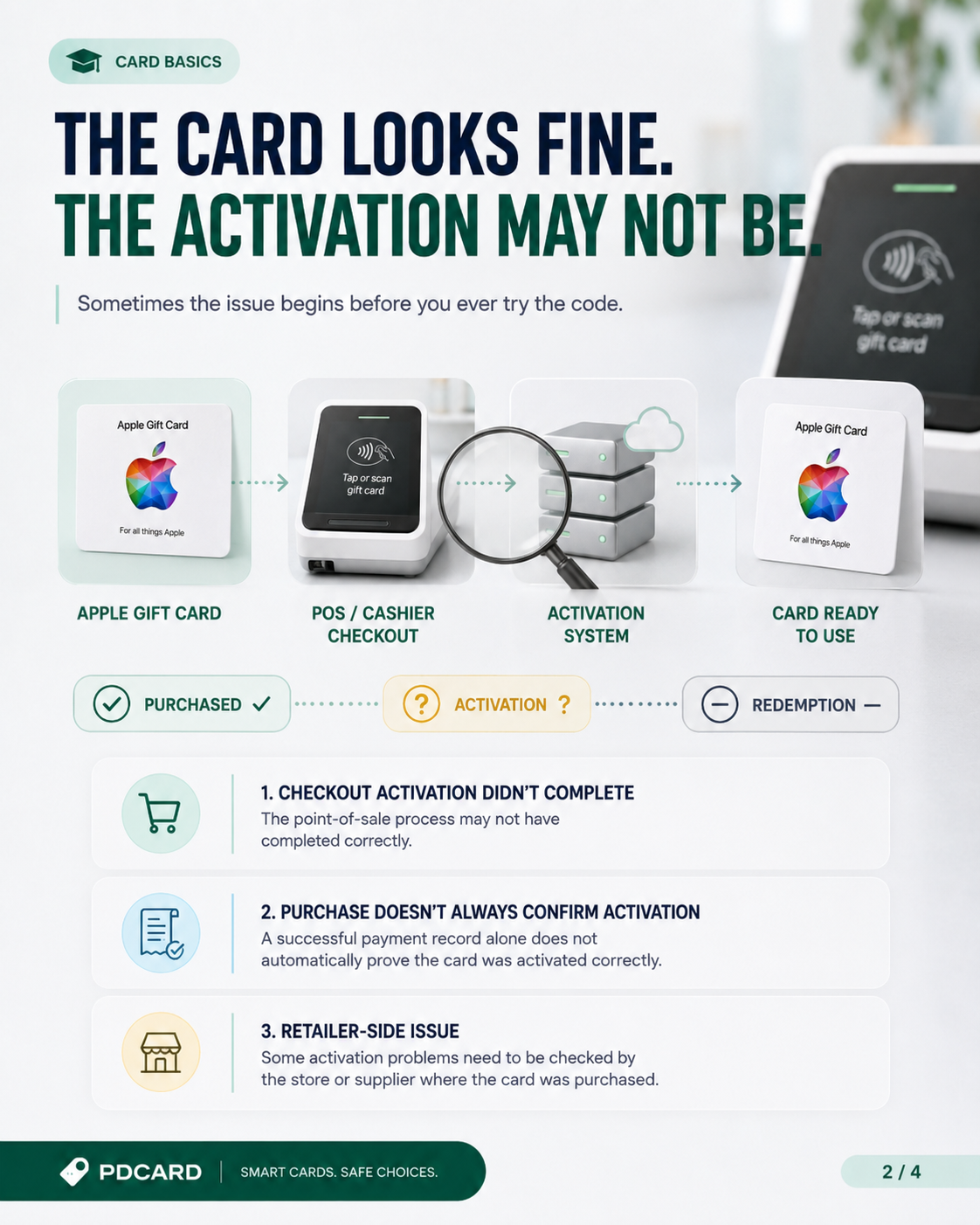
A physical gift card normally moves through checkout and activation before it becomes ready to redeem.
PDCard · Apple Gift Card Guide
A visible redemption code does not always mean the card completed activation at checkout.
Follow the activation trail01 · The first clue
An Apple Gift Card can exist, have a readable code, and still be unavailable for redemption if its checkout activation did not complete correctly.
Readable code ≠ confirmed activation.
02 · What “not activated” means
A physical gift card normally moves through checkout and activation before it becomes ready to redeem.
You have the physical Apple Gift Card. That confirms the object exists—not that the backend activation finished.
The purchase may have been paid successfully. A receipt can support that purchase record.
If this step was interrupted or did not complete correctly, retrying the code later does not repair the checkout record.
When activation is confirmed, the card can be recognized as ready for its intended redemption process.
03 · Where the problem may begin
The customer can leave with the physical card even if the activation state still needs attention.
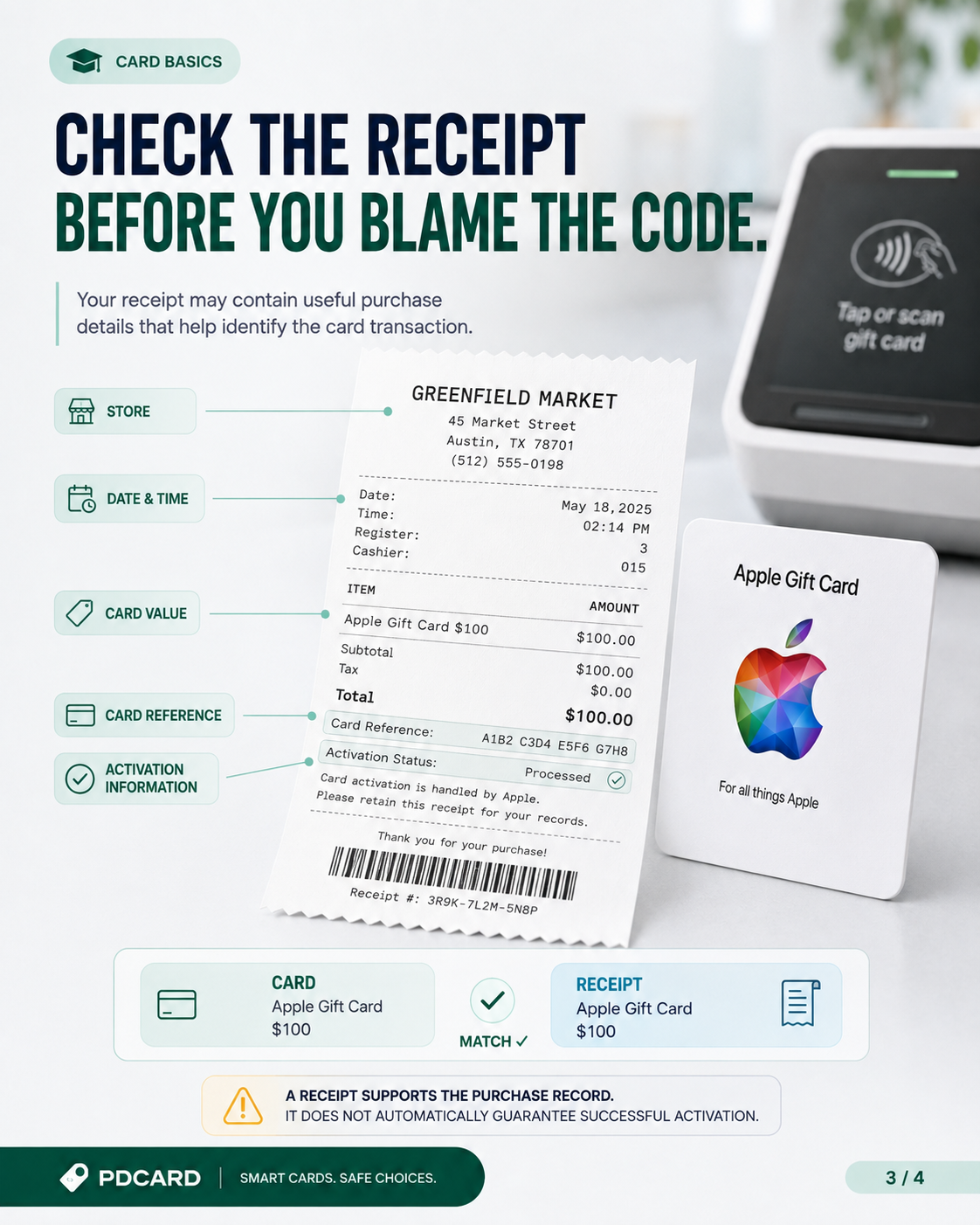
A successful payment receipt confirms a transaction took place, but it should not automatically be treated as proof of every activation step.
When the code is readable and unused, the original seller may need to review the purchase and activation record.
04 · Receipt forensics
Keep the full original receipt. Use it to identify the exact gift card purchase—not as an automatic guarantee of activation.
Example: if the card value is $100, the purchase information should correspond to that same card and amount.
05 · Diagnose the right problem
Activation path
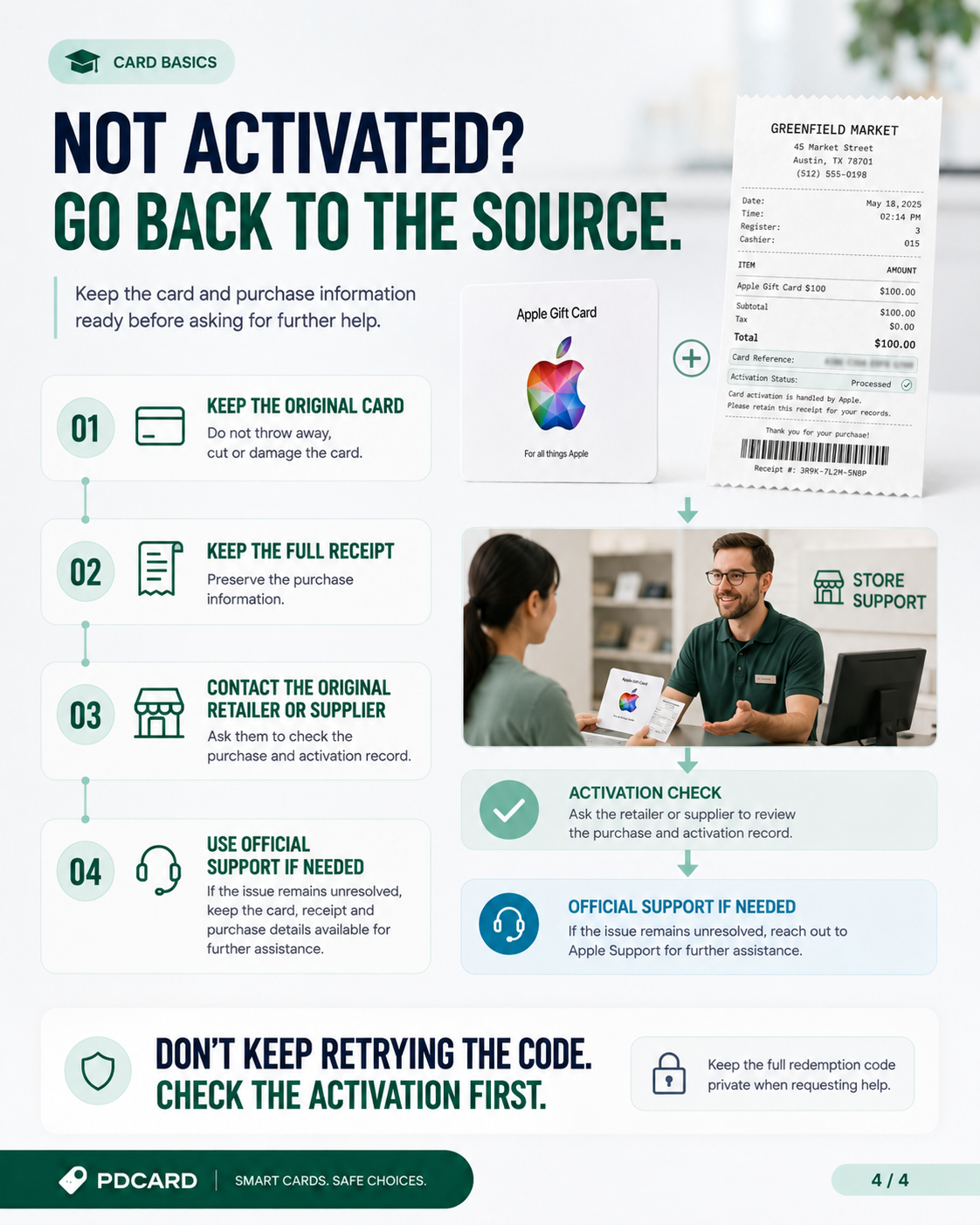
Keep the card and receipt, match the purchase details, then ask the original retailer or supplier to review the activation record.
Code damage path
The problem may be the physical redemption code rather than activation.
Read the damaged-code guide →06 · What to do next
Do not throw away, cut, or damage the card while the issue is unresolved.
Save the complete receipt so the store, date, amount, reference, and other purchase information remain visible.
Ask them to review the purchase and activation record. Prepare the card, receipt, date, location, denomination, and references.
If the retailer cannot resolve it, follow the relevant official support process and keep your purchase evidence available.
Repeated redemption attempts do not repair an activation record that failed earlier at checkout.
Do not post it publicly or send it to unknown individuals. Share sensitive information only through the appropriate official process when required.
07 · Before you trade
Then make sure the card information and submission evidence are complete.
08 · Already submitted on PDCard?
Check the current status, Order ID, submission time, selected card details, and any request for more information.
If you still need help, provide the relevant Order ID through official support.
Transaction-record support checklist →PDCard
Use PDCard to select the appropriate gift card category, submit clear information, and follow your transaction status.